
Phone Vibration Testing: How to Diagnose and Fix iPhone Haptic Issues
Haptic feedback on the iPhone is more than just a buzz in your pocket; it's a crucial part of the user experience. From the subtle click when you toggle a switch to the confirmation buzz when you use Apple Pay, the iPhone Taptic Engine plays a vital role in how we interact with our devices. For users with vision impairments, these tactile cues are even more essential, aiding in navigation and learning.
However, like any complex technology, haptics can fail. Whether it's a software bug, a rogue app, or physical damage to the vibration motor, a lack of feedback can be frustrating. If you need to test iPhone vibration capabilities or diagnose why your haptics have gone silent, this guide is for you. We will walk you through a comprehensive iPhone vibration test process to get your device buzzing again.
Key Takeaways
Check Settings First: Ensure "System Haptics" and "Vibration" are enabled in your Sounds & Haptics menu.
Update iOS: Keeping your software current is the easiest way to fix known bugs affecting the Taptic Engine.
Hardware Check: Use the Ring/Silent switch to physically test vibration iPhone functionality instantly.
Reset Options: A hard reset or factory reset can resolve persistent software glitches.
Professional Help: If the motor is dead, contact Apple Support or a certified technician for a hardware replacement.
Common Causes of Haptic Feedback Problems
Software glitches or outdated iOS
Before panicking about broken hardware, look at the software. An outdated iOS version can lead to compatibility issues with system haptics. Apple frequently releases updates that patch these bugs. If your phone has been acting up properly, a simple restart or software update is often the cure. Enabling "Automatic Updates" ensures you never miss a critical patch.
Incorrect vibration or haptic settings
It sounds simple, but settings can be accidentally changed. If you've recently reset your phone or upgraded to a new model, your default preferences might have shifted. Navigate to Settings > Sounds & Haptics and ensure that "Vibration" is toggled on for both Ring and Silent modes. Sometimes, toggling these off and back on can "wake up" the feature.
Physical damage to the vibration motor
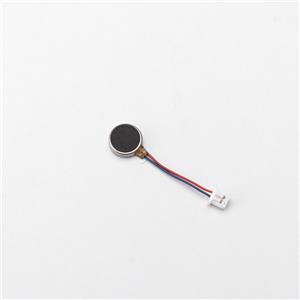
Your iPhone is a precise piece of engineering, but it’s not invincible. A hard drop can dislodge or damage the internal iPhone Taptic Engine. Unlike older eccentric rotating mass motors, the linear resonant actuator in modern iPhones is sensitive. If you hear a rattling noise or a weird buzzing sound instead of a crisp click, the hardware is likely damaged.
| Symptom | Potential Cause |
|---|---|
| No Vibration After Drop | Physical damage requiring repair. |
| Rattling / Buzzing Noise | Loose or broken Taptic Engine components. |
| Intermittent Feedback | Loose connection or failing motor. |
Third-party app conflicts
Not all apps play nice with iOS. If you recently downloaded a new game or utility app, it might be interfering with your system-wide haptics. This is rare but possible, especially with apps that heavily utilize vibration features.
Battery or power-related issues
The Taptic Engine requires power to operate. If your battery is degraded (below 80% health) or you are in Low Power Mode, iOS may disable non-essential haptics to save energy. Check your battery health in settings to rule this out.
Step-by-Step iPhone Vibration Testing and Troubleshooting
Check vibration and haptic settings in "Sounds & Haptics"
Start with the basics. Go to your settings menu and verify that system haptics are enabled. You can also customize the vibration intensity here. If you are unable to feel any feedback while adjusting these sliders, the issue is likely deeper than just a settings toggle.
Test vibration using the Ring/Silent switch
The quickest way to test iPhone vibration hardware is the physical switch on the side of the device. Flip it to Silent. You should feel a distinct pulse. Flip it back to Ring. If you feel nothing, and your settings are correct, you likely have a hardware failure.
Restart your iPhone to resolve temporary glitches
The classic "turn it off and on again" advice holds true. A restart clears temporary cache files and resets background processes that might be stuck. This simple step resolves a surprising number of haptic issues.
Update iOS to the latest version
Navigate to Settings > General > Software Update. If an update is available, install it. Apple’s engineering team often pushes silent fixes for hardware drivers in these updates.
Test haptics on iPhone in specific apps
Try to isolate the problem. Does the vibration fail only in WhatsApp but work in iMessage? If so, the issue is app-specific. Open the Clock app and set a timer. When it goes off, does it vibrate? Testing native Apple apps gives you the most accurate read on the system's health.
Perform a hard reset if the issue persists
A hard reset forces the phone to reboot abruptly, which can clear deeper system errors than a standard restart. For modern iPhones (iPhone 8 and later), press Volume Up, then Volume Down, then hold the Side button until you see the Apple logo.
Check for third-party app conflicts and uninstall problematic apps
Step 1: Find the Problem App
Recall when the issue started. Did it coincide with a new download? Check Settings > Privacy to see which apps have requested access to motion or vibration data.
Step 2: Test Haptics After Turning Off the App
Revoke permissions for the suspected app and run your vibration test again.
Step 3: Delete the Problem App
If removing permissions fixed it, delete the app entirely to prevent future conflicts.
Step 4: Keep Your Apps Updated
Developers patch bugs frequently. Visit the App Store and "Update All" to ensure compatibility.
Advanced Solutions for Persistent Haptic Feedback Issues
Perform a factory reset (with a backup of your data)
If software troubleshooting fails, a factory reset is the nuclear option. It wipes the device clean, removing any corrupted files that might be blocking the iPhone Taptic Engine signals. Always back up to iCloud or a computer before doing this.
Inspect for physical damage to the vibration motor
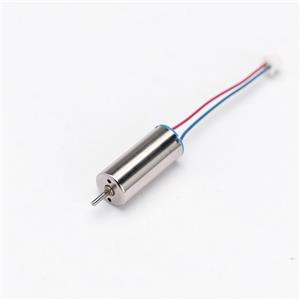
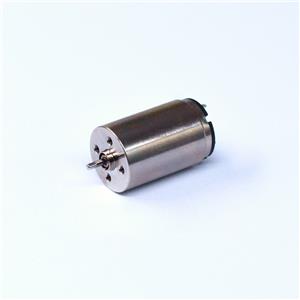
If you have exhausted software fixes, consider the hardware. Flourishing, a leading Micro DC Motor Manufacturer, understands the intricacies of these components. Whether it is a standard vibration motor or a precision hollow cup motor provider component, internal mechanisms can fail due to impact or wear. Look for signs of external damage to the phone casing which usually correlates with internal shock damage.
Contact Apple Support or visit an authorized service provider
Sometimes, you need a pro. Apple diagnostics can read error codes from the Taptic Engine that aren't visible to users. If your phone is under warranty, this should be your next step.
Think about replacing hardware if needed
Signs You Might Need New Hardware:
Zero feedback during a restart or hard reset.
Audible rattling sounds when the phone should be vibrating.
Intermittent operation that comes and goes with physical movement.
How to Replace Hardware:
Unless you are a trained technician, we recommend authorized service centers. DIY repairs can compromise water resistance and void warranties.
Replacement Costs:
Costs vary by model. Without AppleCare+, Taptic Engine replacement can be pricey, but it restores a critical function of the device.
How to Prevent Haptic Feedback Problems on iPhone
Regularly update your iOS
Software is the bridge between you and the hardware. Keeping that bridge maintained prevents communication breakdowns between the OS and the motor.
Avoid dropping or exposing your iPhone to physical damage
Use a rugged case. The Taptic Engine is a moving part suspended by springs and magnets. Sudden deceleration (like hitting the floor) can snap these internal components.
Use Apple-certified accessories to prevent power-related issues
Cheap chargers deliver unstable voltage. Over time, this "dirty power" can damage sensitive components like the haptic driver. Always look for MFi (Made for iPhone) certification. Additionally, if you are looking for reliable motor components for other personal devices, finding a reputable dc motor for personal care appliances supplier ensures you get quality parts that won't damage your electronics.
Watch app permissions and avoid downloading unsafe apps
Steps to Check App Permissions
Periodically review which apps have control over your hardware features in the Privacy settings.
Don’t Download Unsafe Apps
Stick to the App Store. Sideloading apps bypasses Apple’s safety checks and can introduce malware that hijacks system functions.
Update Your Apps Regularly
An outdated app running in the background can cause system-wide instability. Keep them current.
FAQ
What can I do if my iPhone won’t vibrate?
First, verify your "Sounds & Haptics" settings are enabled. Then, toggle the Ring/Silent switch. If there is no response, restart your device and check for iOS updates.
Can apps from outside Apple break my iPhone’s vibration?
Third-party apps generally cannot permanently break hardware, but they can cause software conflicts that temporarily disable haptics while the app is running.
How do I know if the Taptic Engine is broken?
If you perform a hard reset and feel no vibration when the phone reboots, or if you hear a rattling sound instead of a buzz, the engine is likely physically damaged.
Will resetting my phone fix all vibration problems?
A factory reset fixes software-related vibration issues (bugs, corrupted files). It cannot fix a physically broken motor.
Does using haptics drain my phone’s battery?
Yes, the iPhone Taptic Engine uses physical energy to move a mass inside the phone. Enabling "Keyboard Feedback" and other constant system haptics will consume slightly more battery life.
Summary
By following this guide to test vibration iphone functions, you can pinpoint the issue quickly.
If you are in the market for high-quality micro motors for your own manufacturing needs, Flourishing is your trusted partner. Contact us today for reliable motor solutions.